How SceneTasks works
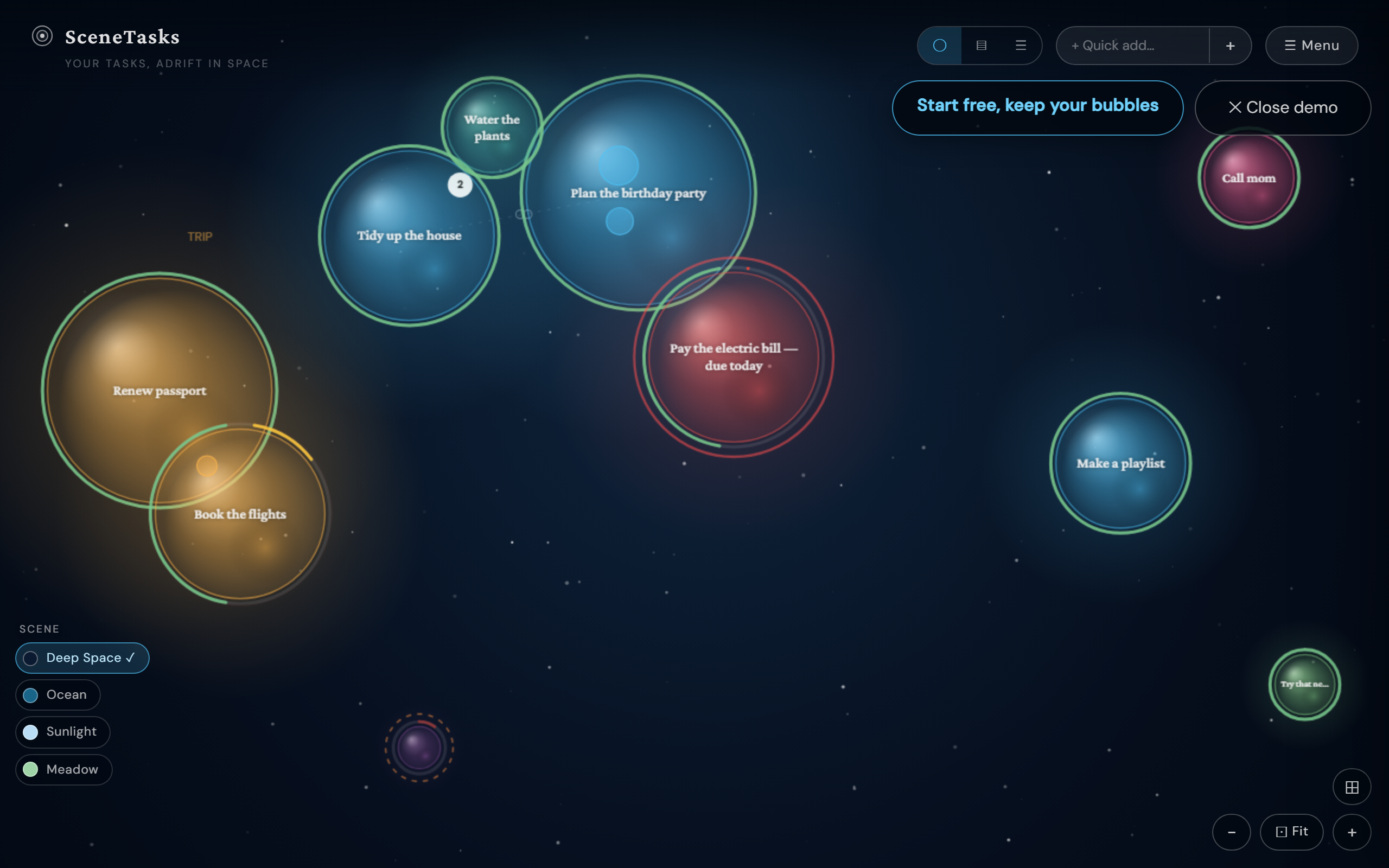
SceneTasks turns your to‑do list into a living scene. Every task is a bubble adrift in space: bigger bubbles matter more, neglected ones fade, finished ones pop. This guide walks through everything, from your first task to syncing, sharing, and notifications.
The big idea
- Size = priority. Important tasks are bigger and pull your eye.
- Deadlines pull bubbles forward. What's due drifts toward the top.
- Neglect = decay. Ignore a bubble too long and it shrinks and fades, a gentle, visible nudge instead of a guilt‑pile of overdue rows.
- Done = pop. Completing a task is a satisfying burst, not a checkbox.
It's a calmer, more visual way to face your tasks, built especially for people who bounce off endless lists.
1. Add your first tasks (three fast ways)
Quick add (fastest). Type in the “+ Quick add…” box in the top bar and press Enter, the bubble appears instantly. Keep typing and hitting Enter to fire off a whole list. No forms, no friction.
Paste a list. Already have a list somewhere? Open ☰ Menu → “📋 Paste a list → bubbles,” paste one task per line, and they all become bubbles at once. The fastest way to go from an empty canvas to your real day.
Share into SceneTasks (Android/Chrome). Once the app is installed (see §8), SceneTasks shows up in your phone's share sheet, share an email, a link, or a note from any app and it becomes a task.
Tip: every new bubble starts full‑size and fresh. Tap one any time to set priority, a due date, notes, sub‑tasks, or make it repeat.
2. Move around the canvas
- Drag a bubble to reposition it.
- Pinch / scroll to zoom. Zoom into a bubble to dive inside it (bubbles can hold sub‑tasks); zoom out to climb back up.
- Tap a bubble to open its editor; tap empty space to deselect.
- Lost? The ⊙ Fit button reframes everything.
3. Group related tasks into halos
Drag one bubble onto another (or give them the same project) and they form a halo, a soft ring that keeps a project together. Drag a bubble out of the halo to remove it from the group; the on‑screen hints tell you exactly what a release will do.
4. Three views, one set of tasks
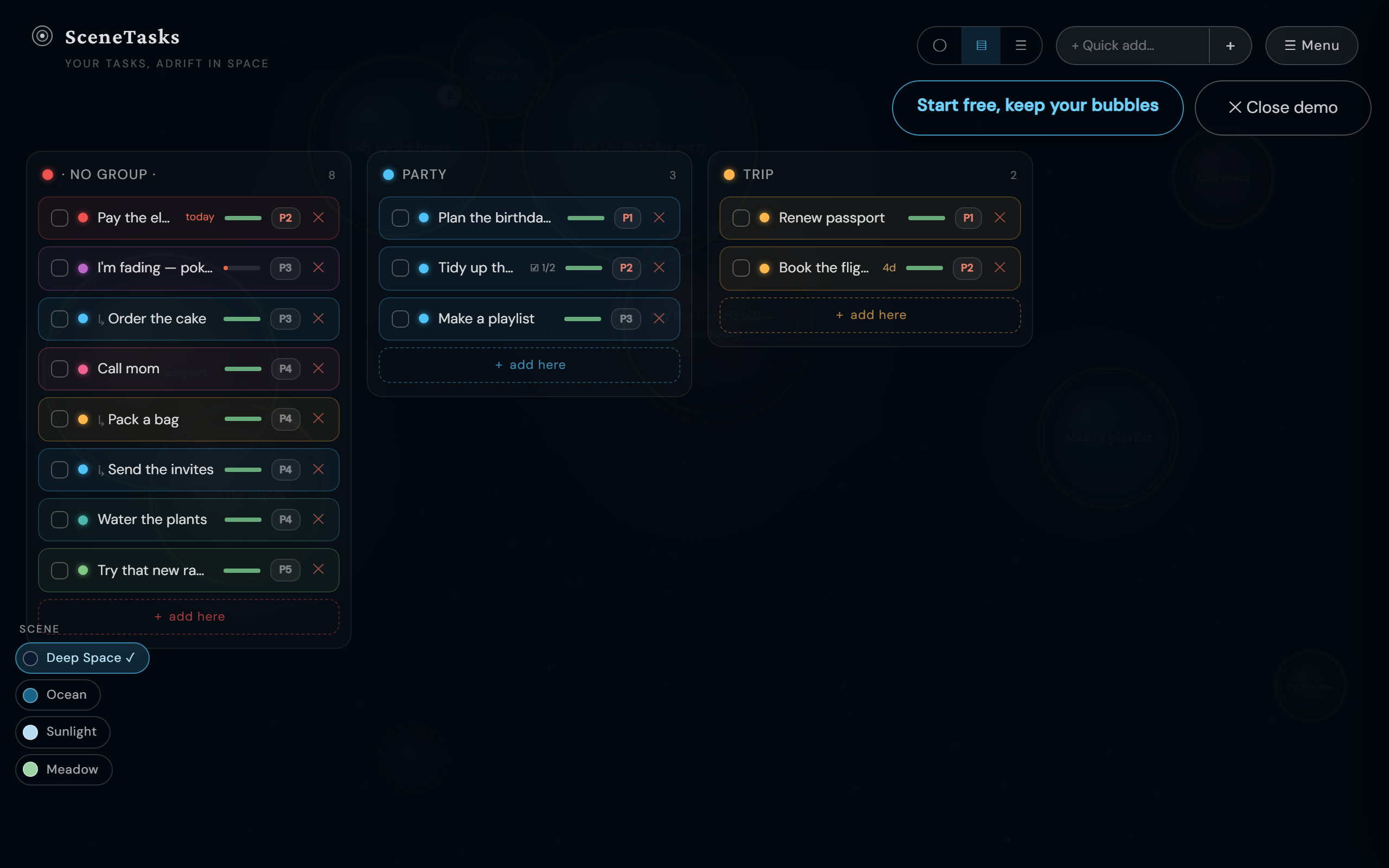
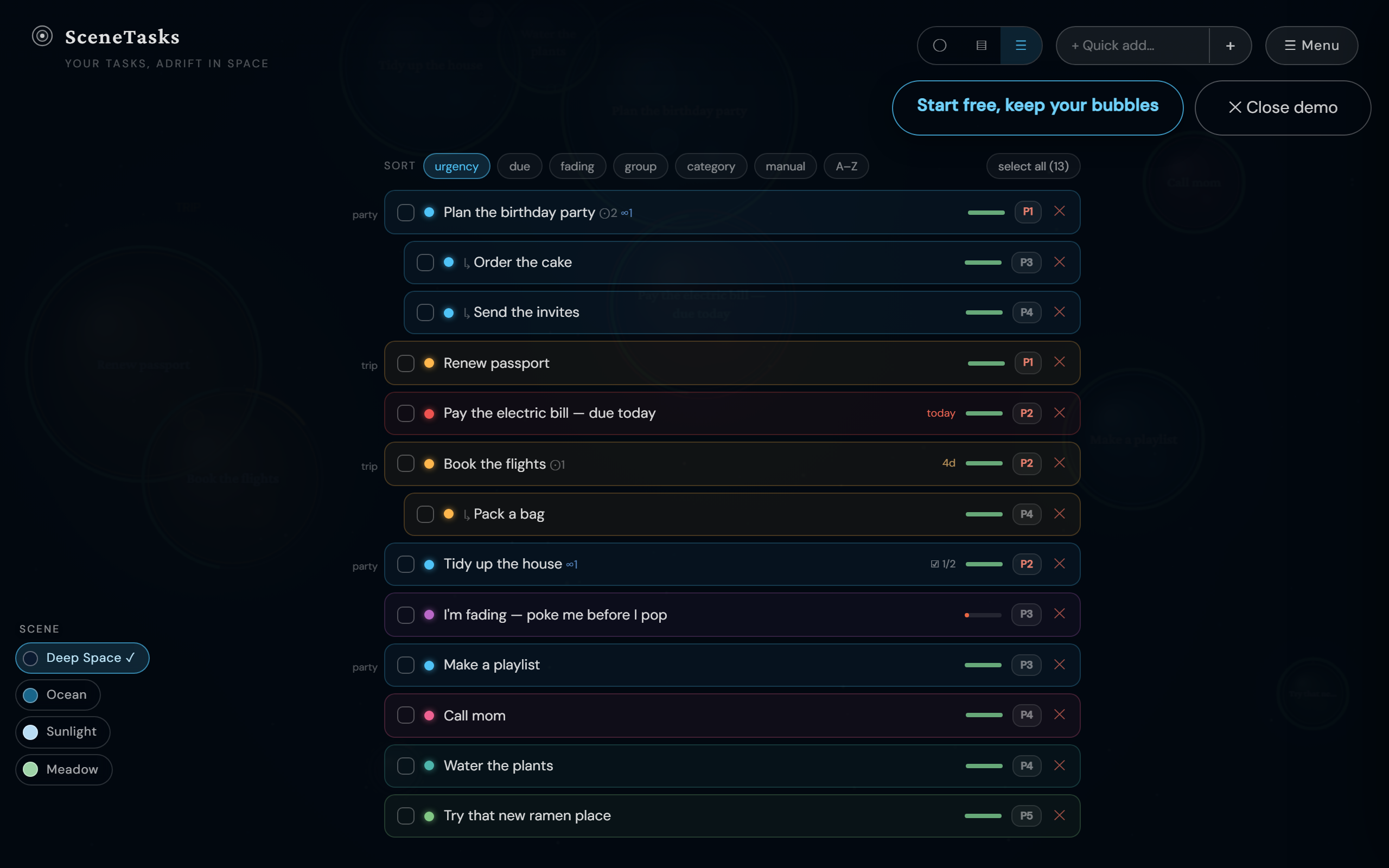
Bubbles are the headline act, but the same tasks render two other ways, switch with the toggle in the top bar.
Board, a kanban‑style column per project:
List, a fast, flat, sortable hierarchy:
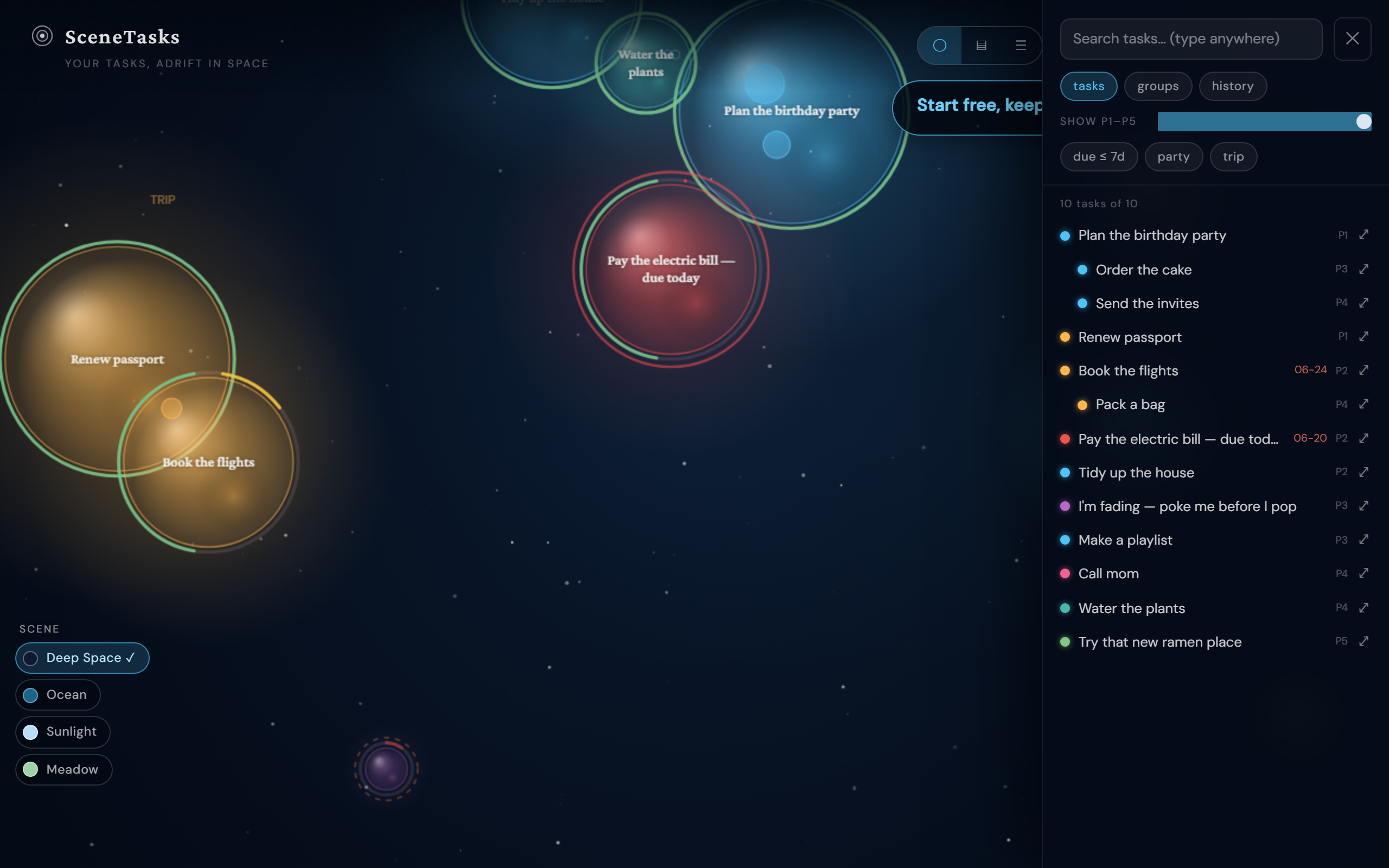
5. The Menu: search, filter, share
Open ☰ Menu for search, priority/▾ filters, your task tree, recent history, and sharing.
6. Repeating tasks & due dates
Open any bubble to set a due date (deadlines pull it forward and trigger reminders) or make it repeat (daily / weekly / monthly / yearly, with optional “repeat N times” or “until a date”). Pop a repeating task and the next one is automatically scheduled.
7. Sync, AI & sharing (paid perks)
- Sync (Pro and up), two‑way sync with Google Tasks and Microsoft To Do, including your Outlook Flagged Emails (which link straight back to the message).
- AI (Max), plan‑my‑week, smart sub‑task suggestions, break‑a‑task‑into‑bubbles, and a procrastination coach. Free and Pro get a small monthly taste.
- Share a canvas, project, or task, generate a link (live or a snapshot; view‑only or suggest‑edits). Anyone can open it, play with the scene, and start their own.
- Save / share a canvas image, Menu → “📸 Save / share canvas image” exports your scene as a picture you can post anywhere.
8. Install it like an app
SceneTasks is a installable web app, no app store needed.
- Android / Chrome / Edge / desktop: tap the “Install SceneTasks” prompt (or your browser's Install menu). Installing also unlocks the share‑to capture above.
- iPhone/iPad (Safari): tap Share → Add to Home Screen.
9. Notifications, your bubbles, on your terms
In Settings → Notifications you can turn on:
- Push notifications on a device, a nudge when a bubble is about to pop or a task is due.
- Email digest, a gentle morning summary of what wants attention.
- Progress digest, a celebration of what you finished.
All optional, all easy to switch off. SceneTasks nudges; it never nags.
Ready?
Open the live demo on the home page, no sign‑up needed, then start your own canvas free. Your tasks have never looked like this.